
| trip47.org | |
| Air | Sea | Destinations | BA | AF/KLM | LH Group | Membership | Login |
| What features does trip47.org offer? |
| trip47.org makes your frequent flying life easier by keeping a record of all your upcoming flights, providing live travel updates as you are on your way, and automatically keeping a record of where you've been. |
 |
| Upcoming Flights |
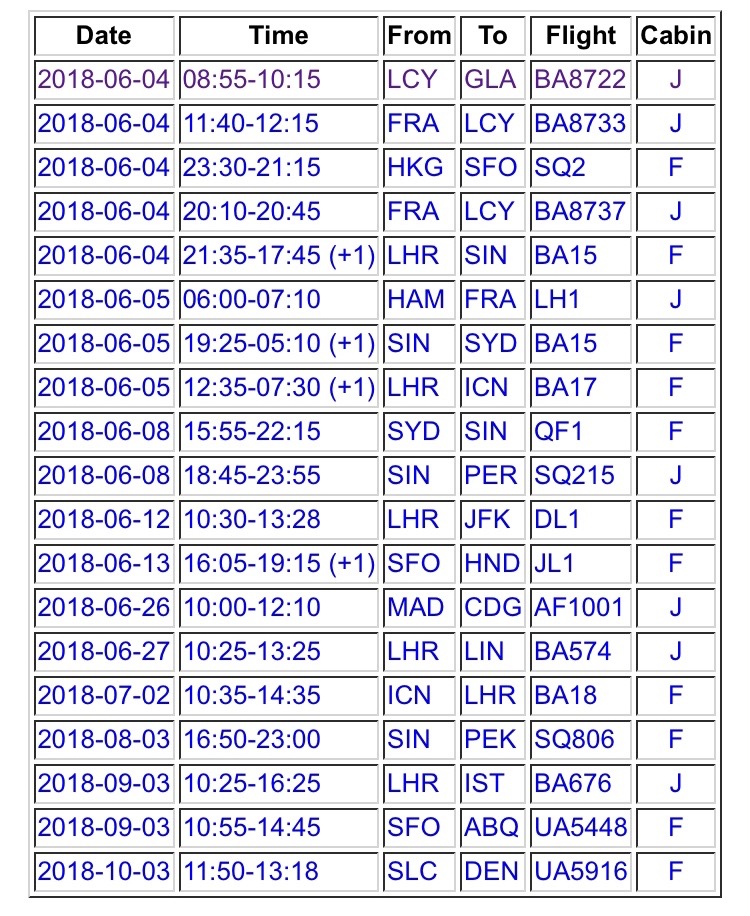
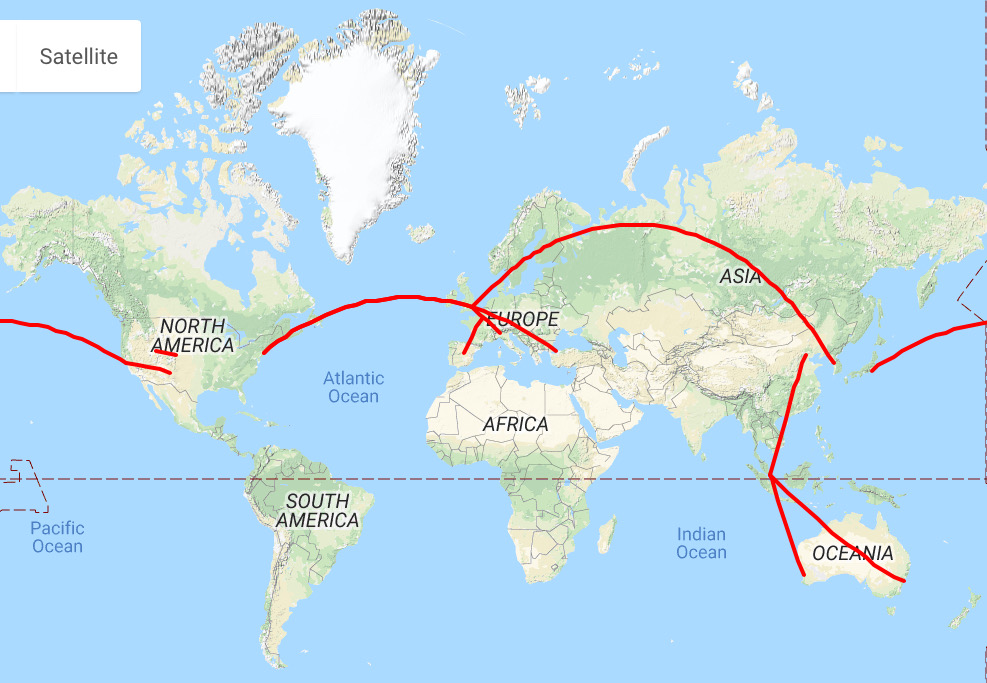
| Know when and where you're going. Ever wondered where you'll be on that weekend? Or if there is enough time between those flights? trip47.org provides you with a list of all your upcoming flights, so you'll always have full transparency over where you'll be. If you want to see them on a map - you can do that too. |
 |
|
 |
|
| Details on your Next Flight |
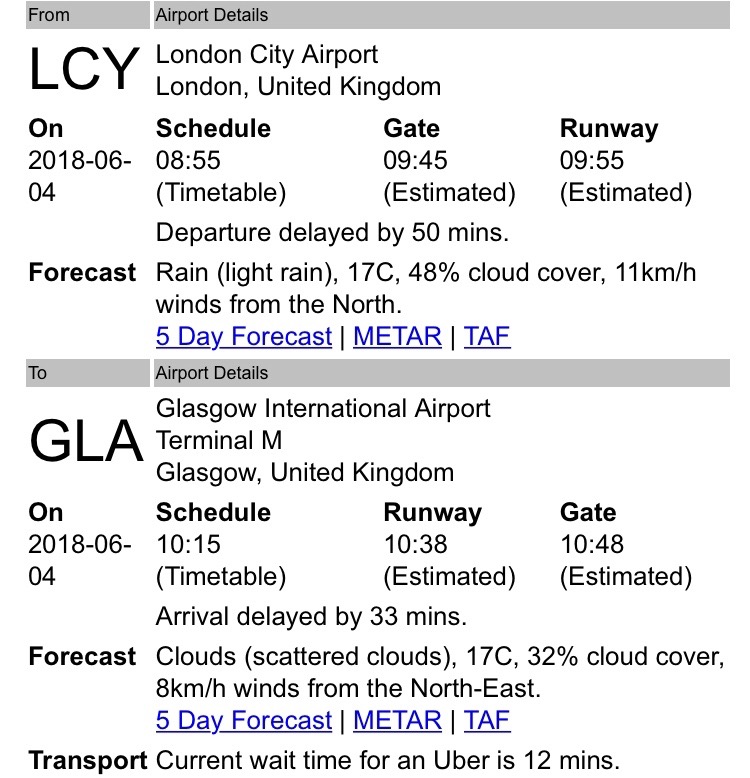
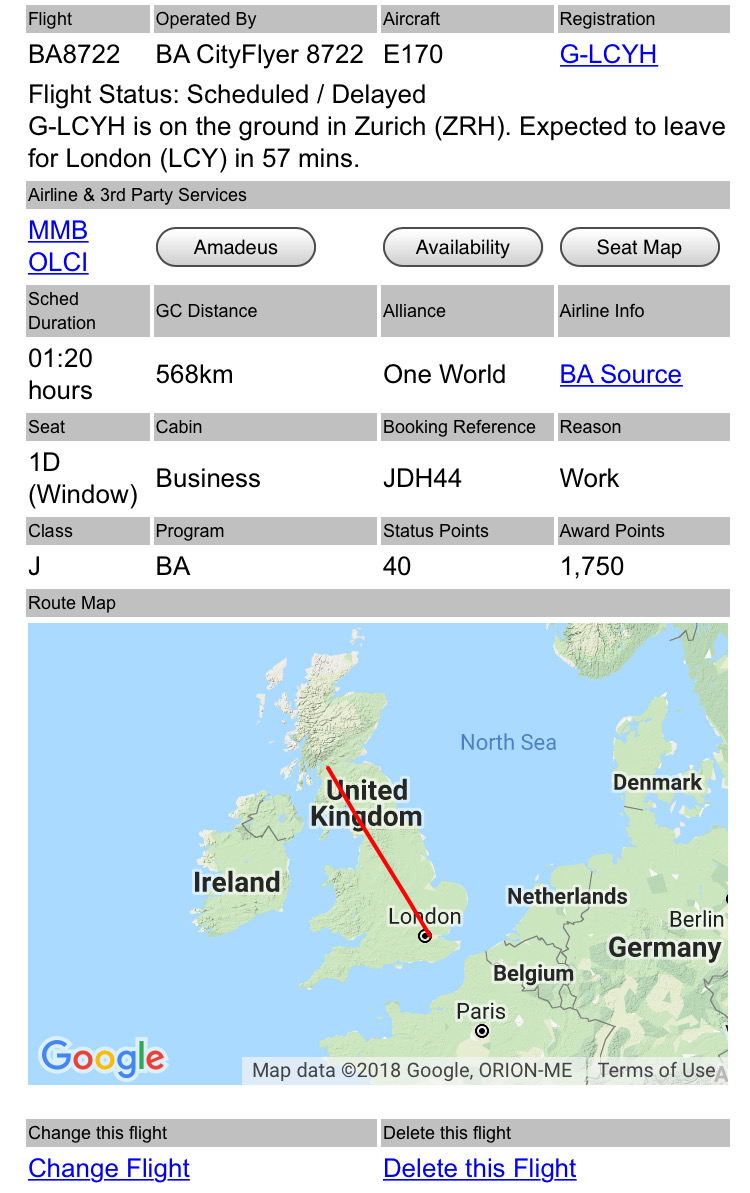
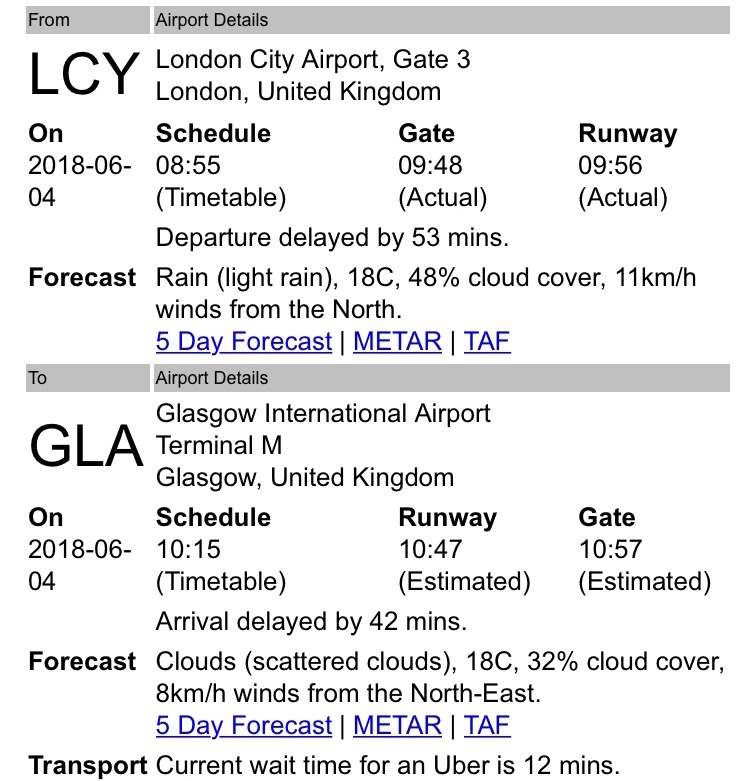
| From 24 hours before departure, trip47.org starts providing you with live flight information, such as departure delays, new estimated times, weather forecasts for the time of your departure & arrival. It will also give you information on the aircraft operating your flight and if it is already on it's way to you. It even shows you if Uber operates at your destination - and how long you have to wait for one. |
  |
|
| While you are in the air |
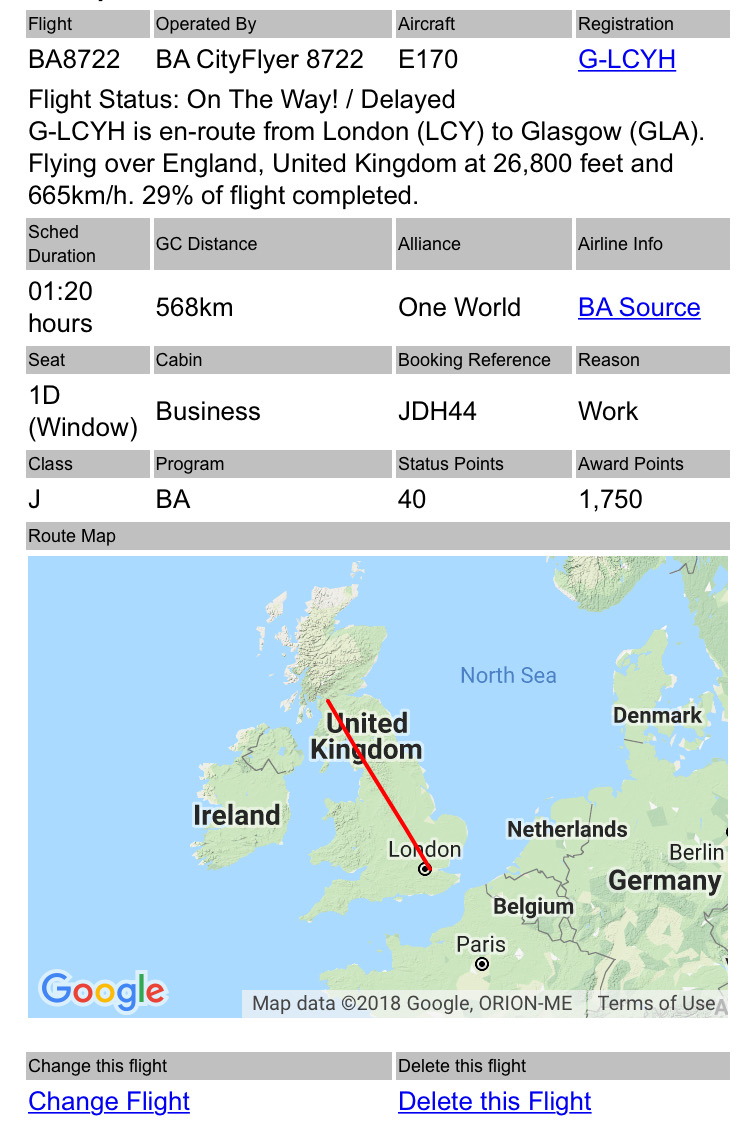
| The flight tracking with live data continues while you are in the air. Allowing you to keep track using the in-flight wifi, or someone on the ground to keep an eye on your flight progress. |
  |
|
| After you have arrived |
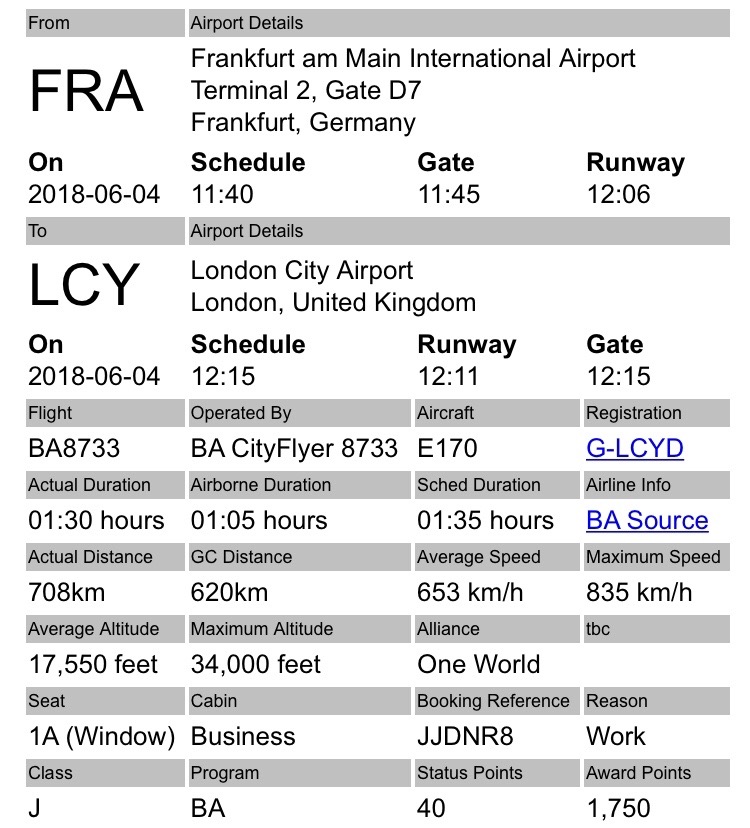
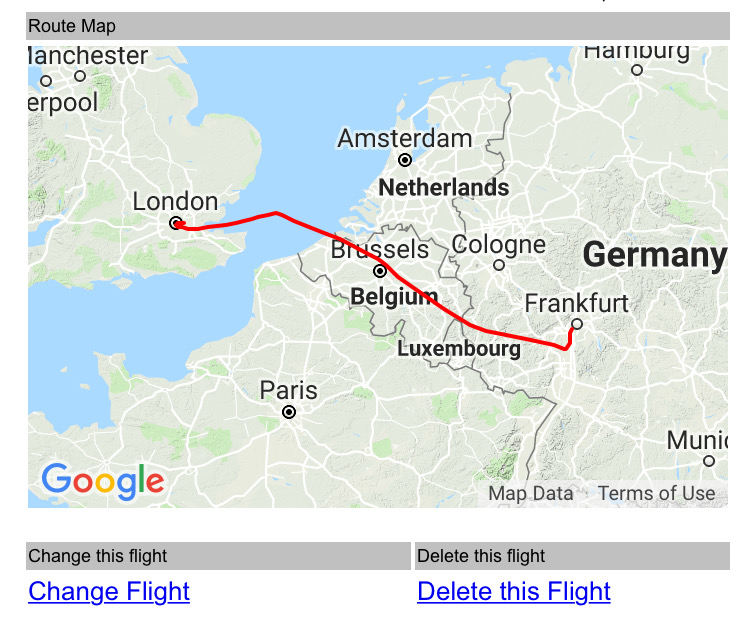
| trip47.org automatically records your flight data so that you can look it up at a later stage. This includes information on the aircraft that operated your flight (type & registration), the actual departure & arrival times, route taken, speed & altitude. |
  |
|
| Reports on your Flight Data |
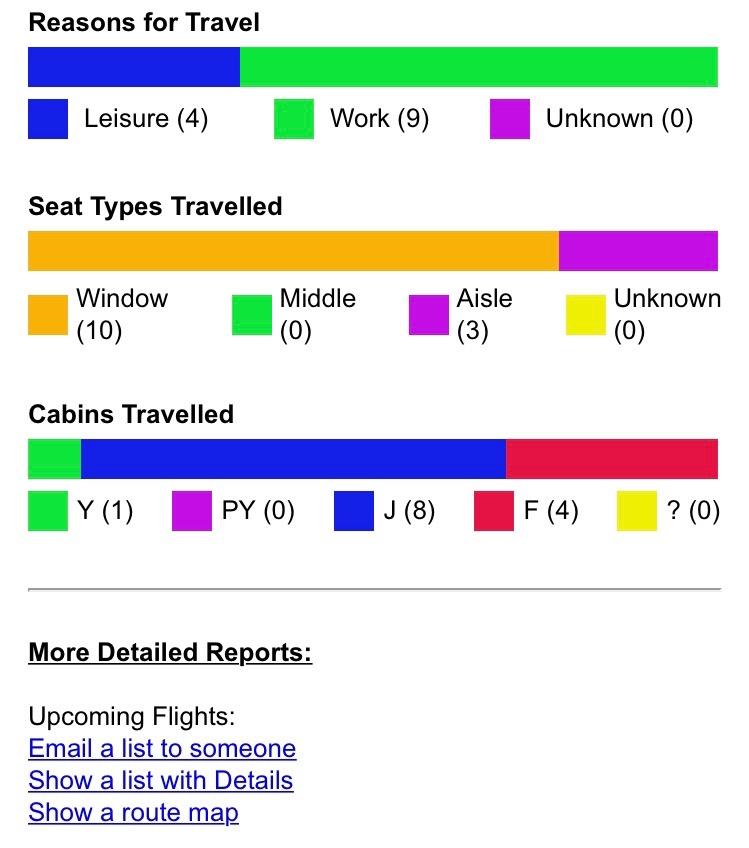
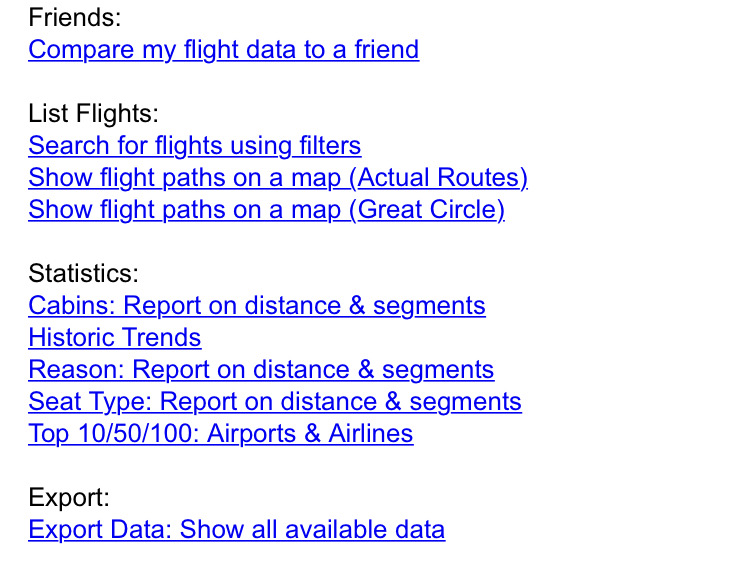
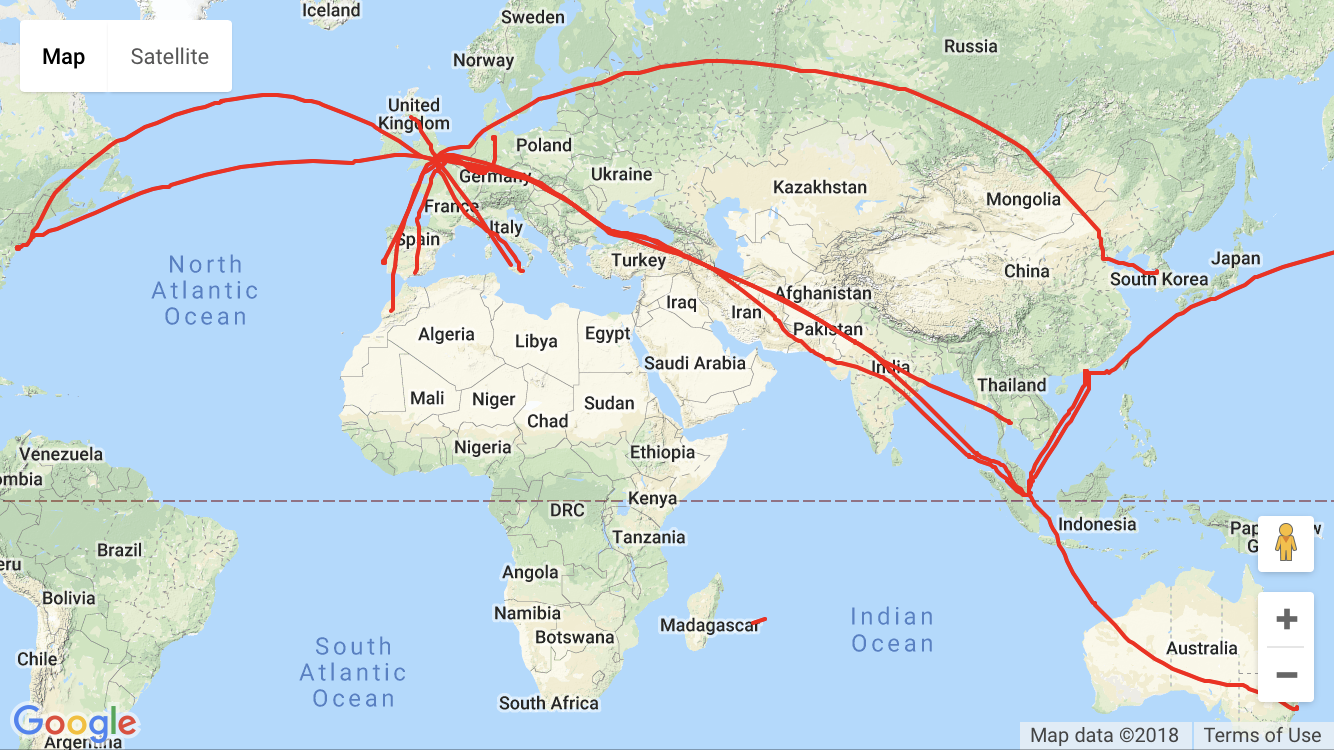
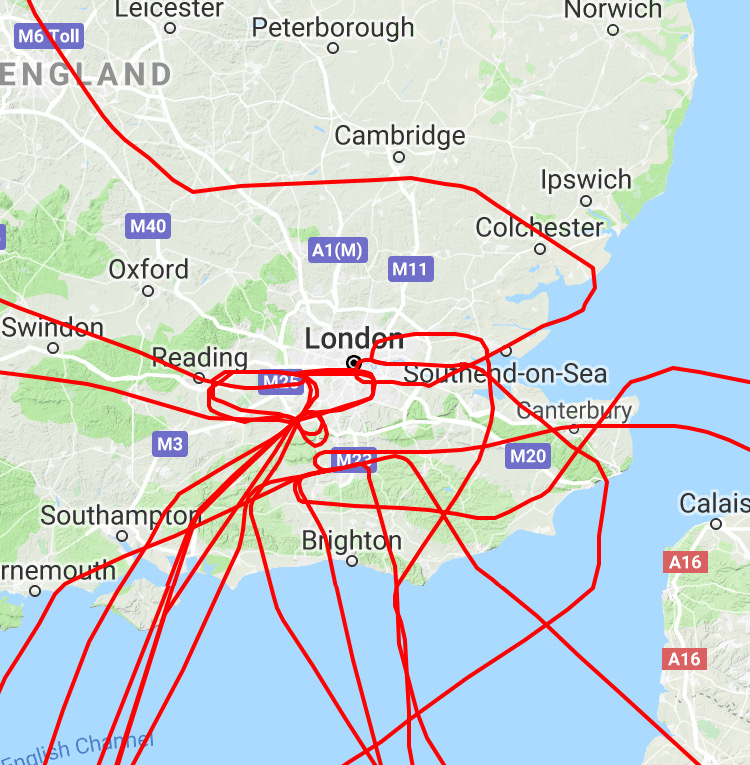
| Want to have more insight into your flight data? Use ready made reports, allowing you to see your flights on a map, statistics, compare your flight data with friends, email your upcoming flights to someone, or even export data so you can do your own thing in Excel. |
  |
|
 |
|
 |
|
| Managing your points |
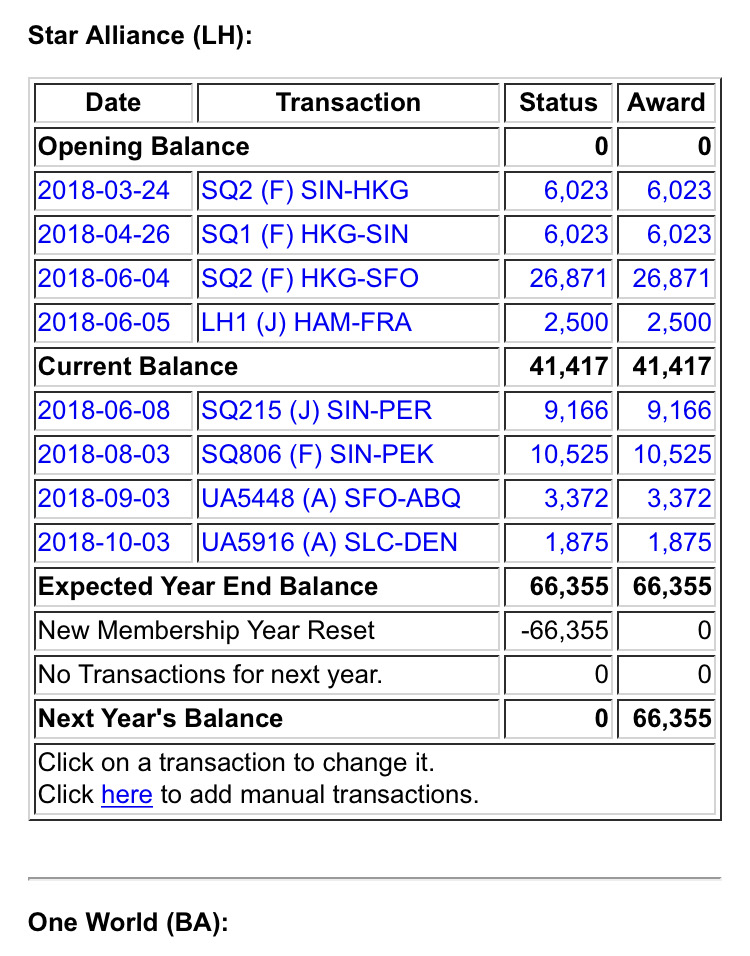
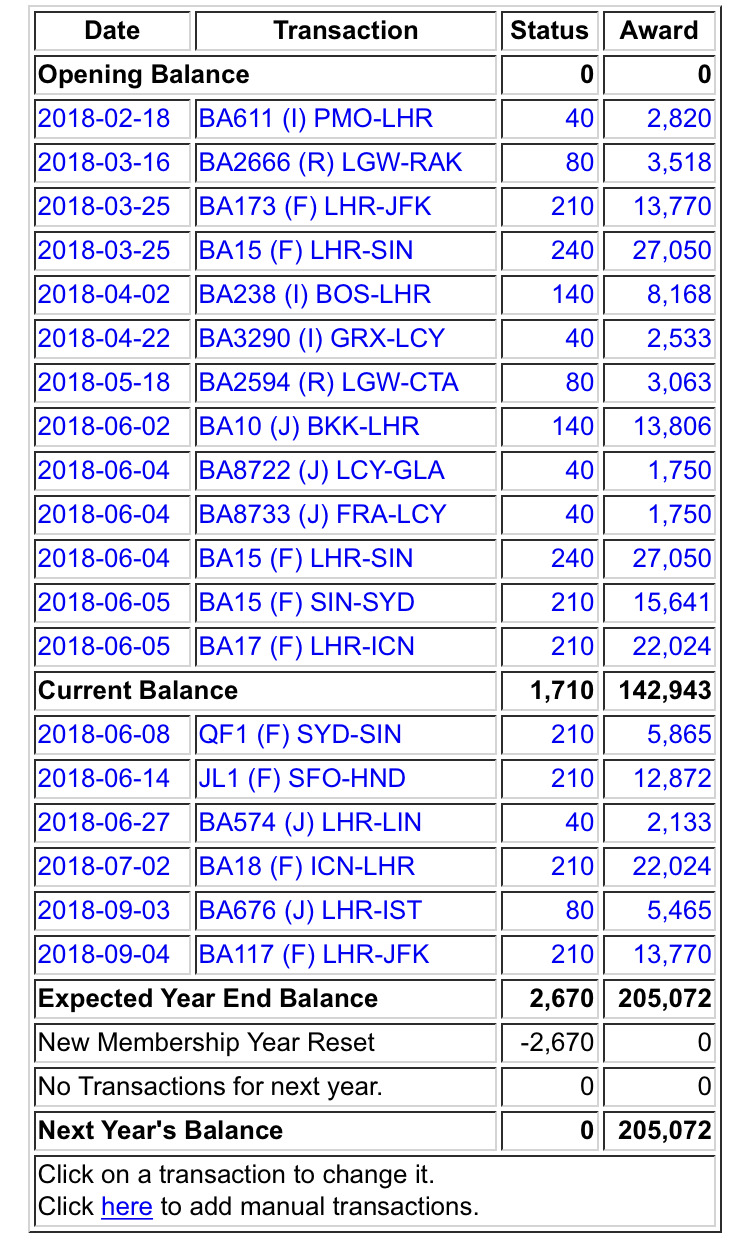
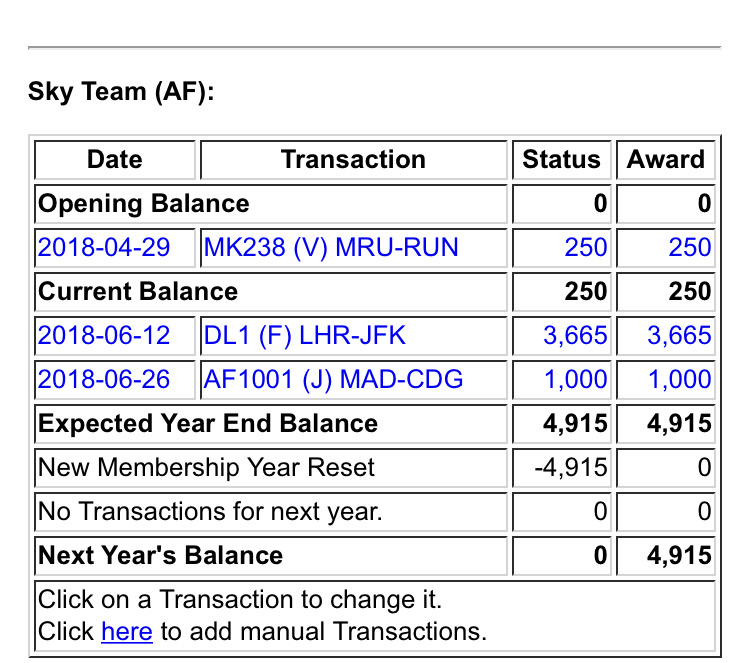
| Ever wondered how many points are missing to keep your shiny card at the end of the year? trip47.org keeps track of all your points and tells you if you are a little short, or already within comfortable renewed territory. |
   |
|
| How to Add a New Flight |
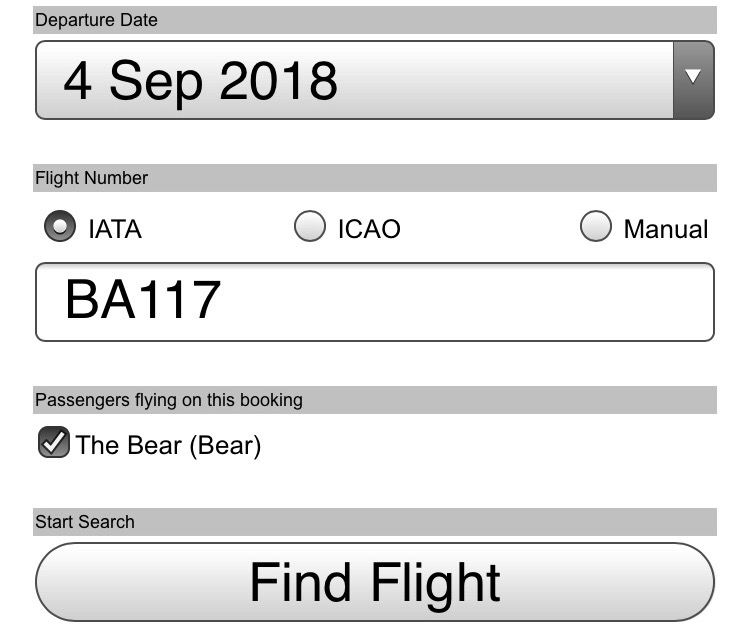
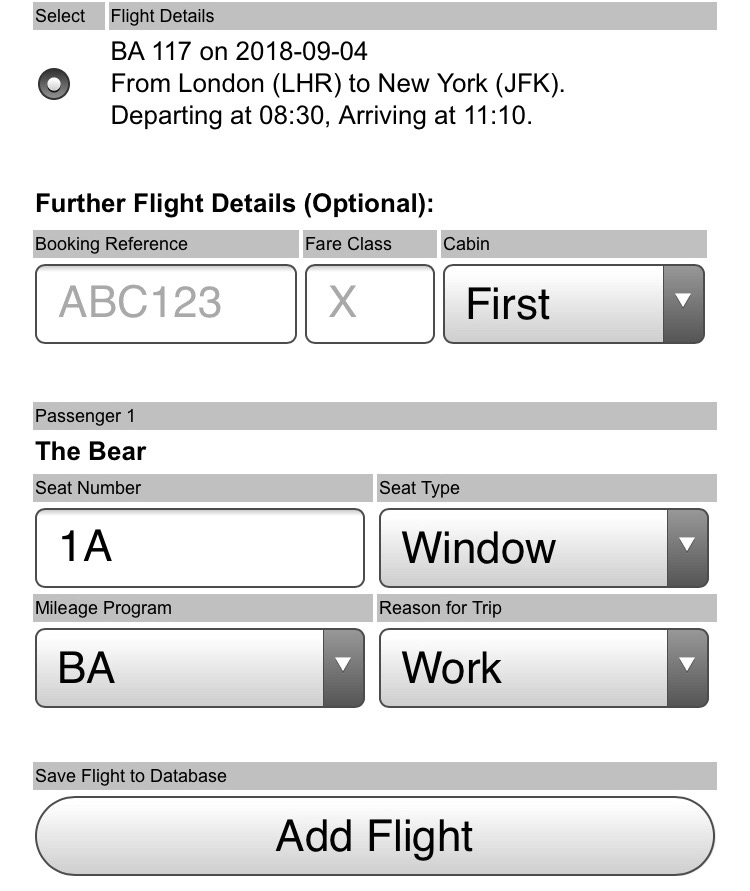
| Adding a flight is quick and easy: You just enter the date and flight number - trip47.org then grabs all the flight details for you. |
 |
|
| When a flight number is used for more than one flight (such as the BA15 from London to Sydney - which is actually two flights, one from London to Singapore and another one from Singapore to Sydney) you'll be asked which one you want to add. You can then add your booking details, such as seat number, cabin, or booking reference. trip47.org allows you to set up default values - so if you commute twice a week in seat 9A, you'll only need to enter that once. |
|
 |
| How much does it cost? |
| It's free. If the site grows and additional features are added, this may change at some point, but for the time being we have no plan of adding a paid subscription model. |
|
| What does the 'Friends' function do? |
| Adding someone as a friend allows them to manage your flights, as well as accessing your flight data, analysis & comparison. They need to add you as a friend before you have access to their data. |
|
| Why are you asking for personal data? |
| The data requested is used to offer functionality in trip47.org. You can leave most fields empty, for all others you can simply leave the pre-populated default values or add random other data; however this will impact some of the functionality described below. Booking Reference/PNR: Your booking reference is required to enable direct links to airline 'Manage My Booking' and 'Online Check In'. ExpertFlyer (EF) login details: trip47.org offers deep links to EF availability data and seat maps for those who have an EF account. In order for this to work, you need to be logged in to your EF account. This can be achieved in the following ways: You are always logged in to EF (e.g. through a cookie) and don't need to enter a password when accessing EF. In this case you should not store your EF login details in trip47.org. You prefer to manually log in to EF every time. In this case there is no need to store your EF login details in trip47.org. You want trip47.org to automatically create an EF session every time you log in to trip47.org. In this case, you can store your EF credentials in trip47.org. While we store your password in an encrypted way (AES256) it is still good security practice to make sure that you are using a unique password that is not shared with your other accounts. Frequent Flier Information: We use your frequent flier program and membership level to make a prediction of the number of points you will earn for a flight. Please note that this is currently only fully supported for the British Airways Executive Club. Name: Your name is required to enable direct links to airline 'Manage My Booking' or 'Online Check In' functionality. It also allows you to connect with friends on trip47.org (such as allowing others to manage flights on your behalf or comparing their flight data to your own). Trip Reason, Seat or Cabin of a trip: This allows for statistics over your trips to be created and - if you connect with friends on trip47.org - to be compared with friends. Home Address: trip47.org checks for journey times and fare estimates with Google Maps and Uber, this requires us to know where the journey starts or ends. If you don't feel comfortable sharing this information, you may consider using the address of a nearby public building - this will protect your privacy without impacting functionality. |
|
|